
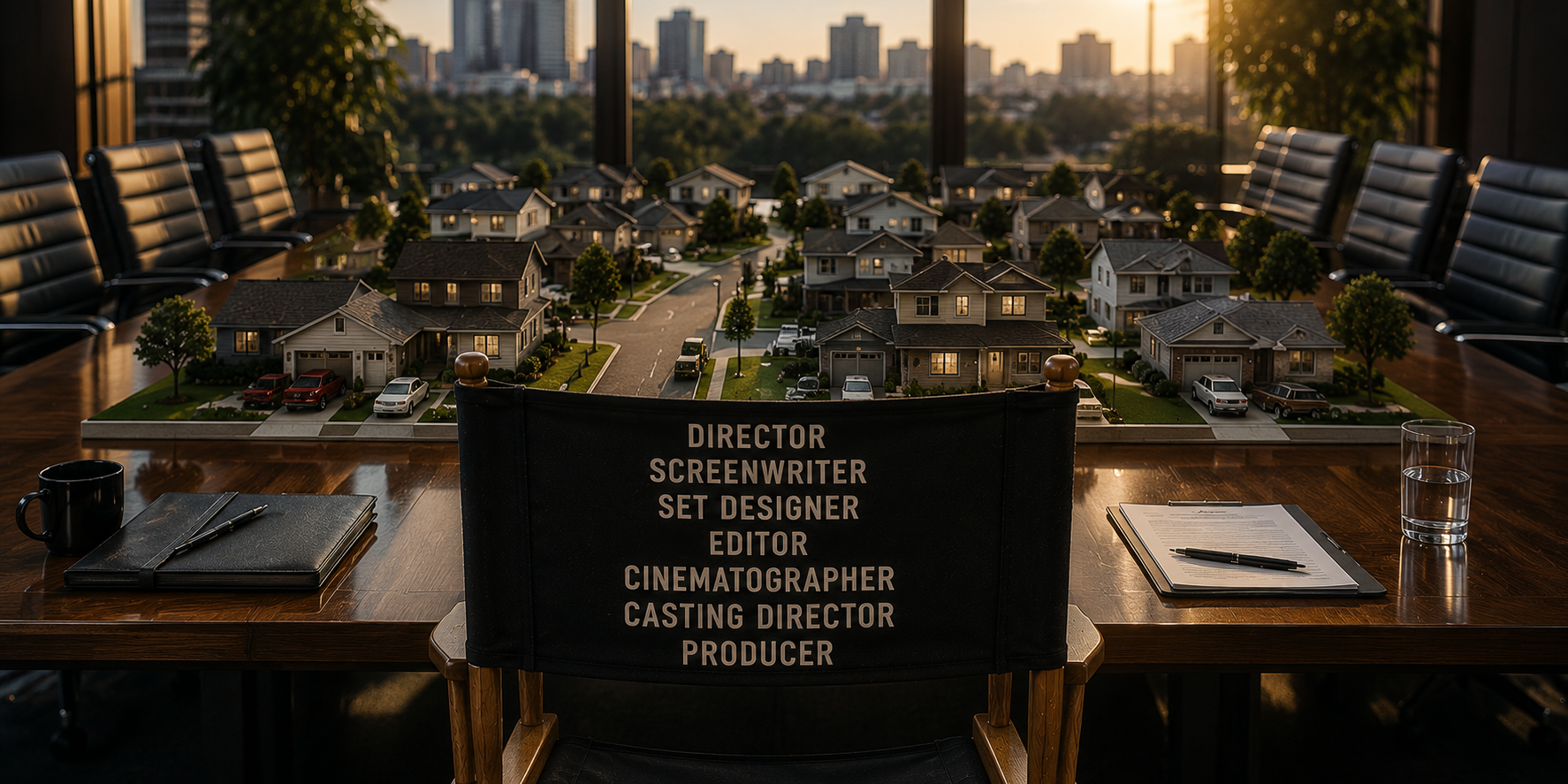
I made your corporate video in 6 hours using AI.
And here are 6 takeaways.
On May 27, 2026, Akhia hosted a roundtable to discuss AI video creation. (You can request a lunch and learn version of this if you'd like.)
We talked about ALL of what to expect with AI video. The good, the bad and the sloppy. As part of that roundtable, we critiqued a video that is the basis of this blog. A video made in six hours by one person.
Me.
And this is what I learned in those six hours.
OK, a confession right out of the gate. The video I made was not your typical corporate video. You know the ones: a relatable CEO addresses the camera, executives expound upon company values, and factory workers high-five and smile in b-roll footage. I wanted to spoof those videos with something a little different. A neighborhood association video done in a corporate style, with the company jargon and cliches to go with it.
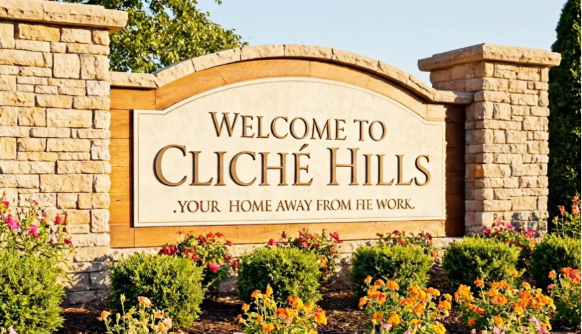
“Kerning issues, periods at the start, nonsense words. Welcome to Cliché!”
I also wanted to do something in the style of this Kalshi ad. You’ve likely seen it. Fast-paced clips of people excitedly giving odds on everyday happenings. It’s high energy. Crazy. Full of people. And none of it is real. It was all AI generated.
I investigated how that commercial was made (meaning the director was a keynote speaker at MAICON 25 and I was in the audience). I learned that to make this commercial, they had a TEAM of people––a Writer, Director, AI Generalist, Sound Designer, Colorist, Creative Director, Digital Director of Photography, Editor––and wrote lengthy, detailed prompts. And made a number of edits too. The results speak for themselves.
And that’s fine if you have oodles hours to spare. But I wanted to make a video fast! Within a day. Faster than it would take to write this blog.
Goal realized. I estimate I spent about six dedicated hours of real work making this video, from idea to script to production to smug satisfaction.
Here’s how that time broke down:
-
One minute to come up with the idea. In between gin and tonics, I thought, “What if a neighborhood association made a video in the style of a corporate video?” And a concept was born.
-
One hour to Google search “corporate clichés” that would be the baseline for the dialogue, pick the best ones and assign them to specific scene types.
-
One hour to script the dialogue, incorporating these cliches into naturally sounding on-camera statements. (This I did without AI help. That, my friend, is called integrity.)
-
Two hours of prompt crafting, writing and hitting the arrow button on the VEO site to create the clips. While they would load, I would then look at my phone. It’s called multitasking, people! Then I’d get two scenes per clip to review and pick the best. Then repeat.
-
One hour to stitch the clips in iMovie.
-
Two seconds to pat myself on the back.
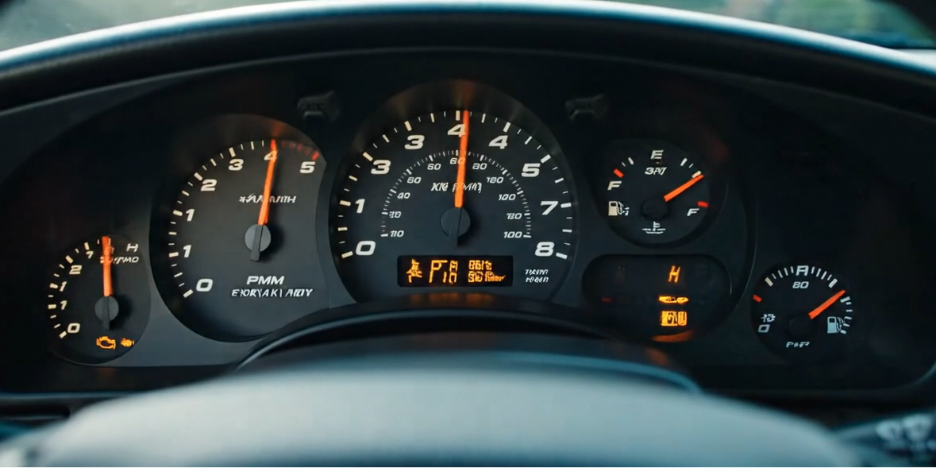
“Oh man, my PPMs are surging. But my gas looks to be at 5/3 of a tank.”
But I had a few ground rules to meet my video-in-a-day time frame:
-
Prompts were no more than 100 words.
-
No more than two clips per prompt*
-
*Unless they were godawful. Then I’d try again. But if that didn’t work, I’d do a new prompt and occasionally settle for what I got. I wasn’t going to trial and error without end. I don’t have all these minutes to spare. If I had to compromise, so be it.
-
-
Each clip would last no more than 10 seconds. (That’s mainly a restriction of the software and the number of credits I had earned so far. Budgets matter. All told, the production cost on this was about $16.99.)
-
No extended scenes. In other words, I wasn’t going to stitch two clips to make one unbroken scene. That gets messy in a hurry. You end up getting a scene where a blushing bride suddenly morphs into Jonah Hill and you’re not sure why. Best to compromise a bit and keep the clips short, sweet and self-contained.
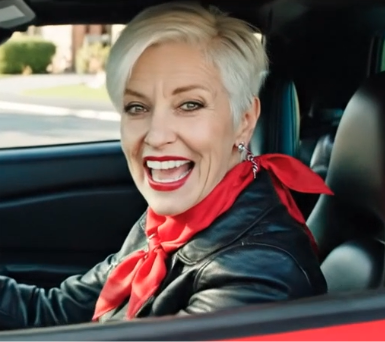
“I tie my scarf in two places!”
Enough of the rules. Let’s get to the results. Here are the six things I learned in six hours.
- AI video saves A TON of time in shooting and set moves
- I can be a weather-, time- and location-controlling god.
- Casting choices and directing the actors are a whole lot easier.
- AI video captures details a lot better than before, even if every scene was still flawed.
- AI can make a good concept better. But the originality, quality and differentiating details of the concept are up to you.
- There are still things that feel glitchy.
I’ve been on my fair share of video shoots and edits. The ones that took place over a few days, with various sets, setups, set designs, locations, lighting, cast members, multiple takes, and so on. And Craft Services.
[Oh how I miss Craft Services. AI takes that away. But the Cheez-Its and Oreos I ate making this video was, like much of what AI makes, good enough.]
The video I made in six hours would have taken a minimum of two days to shoot, even in the same neighborhood. Add in the scouting that would have taken at least a day or more, plus travel arrangements, and we’ve saved a world of time.
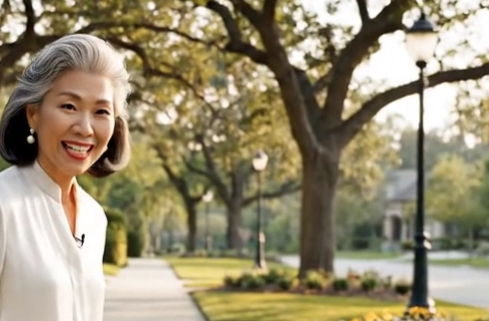
Three trees in a row, all growing with the same pattern. Nature’s a miracle.
No matter how fast a crew moves, the sun never stops, the earth keeps rotating, shadows are changing, golden hour ends. With AI, the time of day can always be the same. Whatever you want. Same with the weather. Can I make a monsoon during the Renaissance? You bet! Can we shoot at Red Rocks, the Blue Lagoon, Greenwich Village, the White House, Orange County and a Black Hole without buying a plane ticket or using a drop of gas? Yes! Will it look like real life? Kinda.

Just a typical neighborhood night sky view. If your neighborhood is in Utqiaġvik, Alaska.
Just put in the specifications for your people––age, ethnicity, appearance, sound of their voices, apparel––and AI did the rest. Sure, they may have “ghost eyes” once in a while, the kind that look right through you like in “Village of the Damned.” And skin may look a little too embalmed. And they may move at three-quarter speed. But, remember we have to compromise somewhere to meet a six-hour deadline.
However … these performers NEVER screw up their lines. They say it as the script is written. Maybe without the emphasis, enunciation and emotion you want exactly, but again, we have to compromise. It’s showbiz, baby. But more good news. We save on wardrobe costs. No need to send a production assistant to Kohl’s to buy out the store and save the receipts. Your cast can wear what you want them to. For the most part.
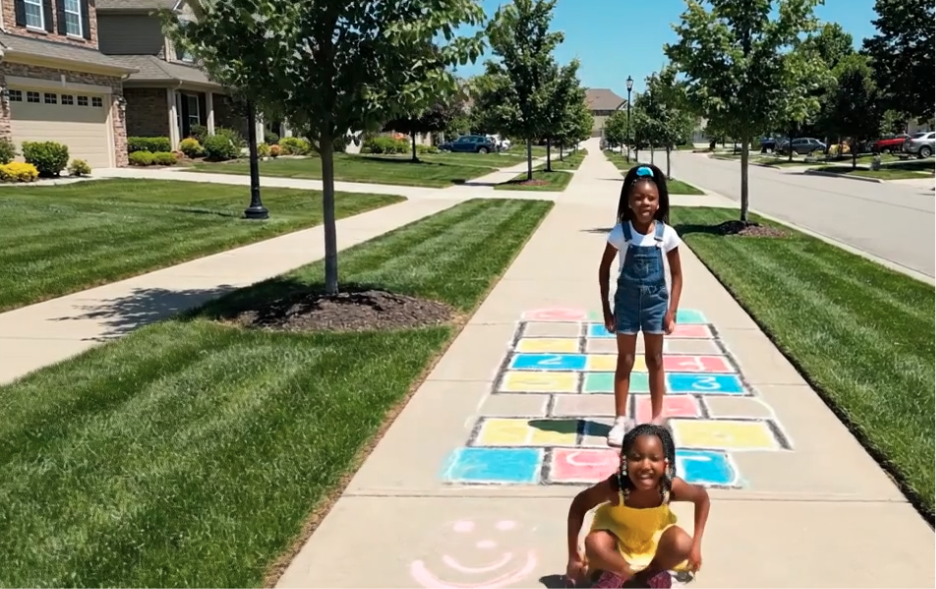
Two sidewalks? Of course! We need space for the world’s most confusing hopscotch.
I loved that I could have a character wear a “Toad the Wet Sprocket” shirt as he says his line about “boiling the ocean.” That kind of Easter egg stuff makes me happy. A couple of years back, these AI tools would have messed that up: “Todd the Wwet Soquette.” But the same scene now has a garden hose that’s somehow split in two. Why? Is our dad siphoning off the neighbor’s water?
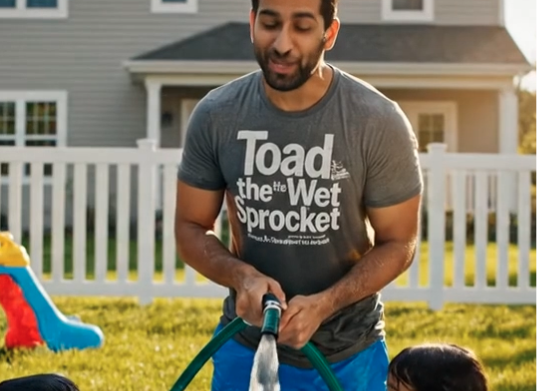
“And if anyone here believes these two hoses should not be joined, speak now or forever hold your nozzle.”
Just about every scene I had made, with all its vivid detail, had some small or large flaw. The dashboard with the nonsensical readings. The weird slide into home plate (It was supposed to be second base, VEO!). The neighborhood sign that’s misspelled. The way a tossed apple hovers and defies gravity like it’s Cirque Soleil. The double set of sidewalks.
The AI Clueless Monet Theorem holds true: “From far away it looks OK, but up close it’s a big old mess.” And repeated viewings expose things even more.
However, I could have done more trial, error and edits to fix these and make them (near) perfect. But that would have taken a lot more TIME. And other people to help. But it’s 90% there! Even if that last 10% would take 90% more effort.
Two years ago, trying to make this video would have been a complete mess. A concept I really liked (Neighborhood Association Video Done Corporate Video Style) would have been at the mercy of what the tools could do, how well I could direct those tools, and how well the tools understood my instruction. Back then, it was poor on all counts. I would’ve had to “luck into” quality.
Today, AI is much better at filling in the gaps enough so that the concept itself remains apparent and intact. Plus, a great concept can help overcome the limitations of the AI tool itself. Hook your audience with something clever and watchable, and they may even forgive a disappearing football.
While the video in its current state would not be for public consumption, I could use it as an in-motion storyboard for when we do a real shoot. A model for the human director, set designers, actors and crew to follow. Which would save much time during a true production because we’d hit the ground running.
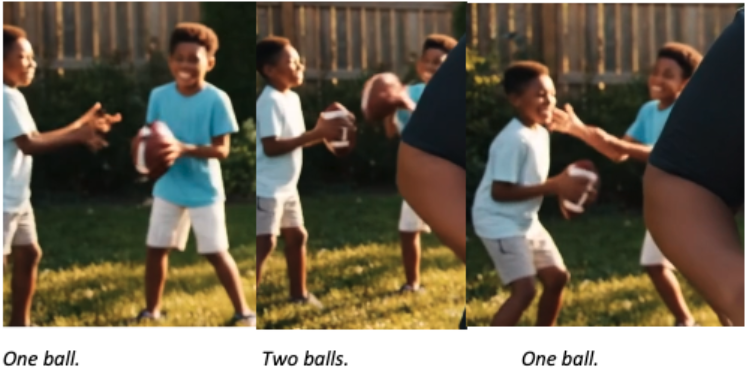
Here are a few other examples:
• Dialogue issue #1: If you want someone to pause in their speech and write an ellipse, the character will say, “Dot dot dot.” The fix: Just specify when there is a pause in dialogue.
• Dialogue issue #2: Using ALL CAPS for emphasis might lead to the character “s-p-e-l-l-i-n-g” out the word instead of saying it. The fix: No all caps. We’re not writing a politically charged Facebook post.
• Dialogue issue #3: Having someone speak from off-screen is a problem. I tried to have a person speak as if from inside a box (“Help, I’m in here!”). But VEO was having none of it. It would have someone on-screen say the line instead. Which made no sense. I adjusted the scene to fit around this problem, because we have to compromise sometimes.
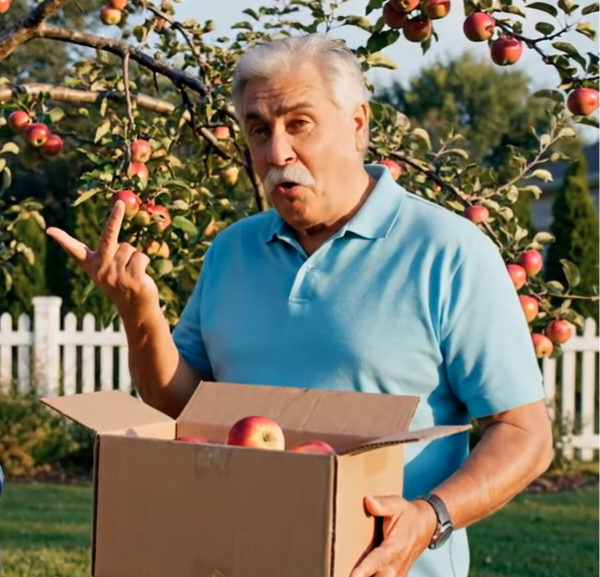
Mr. Smooth Face appears angry about having to explain his box of flippin’ apples, which doesn’t fall despite being held by one hand.
• Too much motion in a scene is a problem. I can give specific, industry-speak camera movement direction––pan, truck, zoom, dolly––and it will follow it. But the actions of the people on-screen are trickier. I wanted a kid on a bike to ride in a circle, but the move ended up being something so dangerous that I felt bad about putting even an AI-generated kid through it.
And asking multiple people to do their own movement in one scene provides unintentionally funny results. Their limbs tend to go all akimbo, they throw a football backwards, they magically go through objects like David Copperfield and the Great Wall of China.
It’s best to keep the moves basic, or be very, very specific to each movement. It’s a compromise, but these AI actors can only do so much.
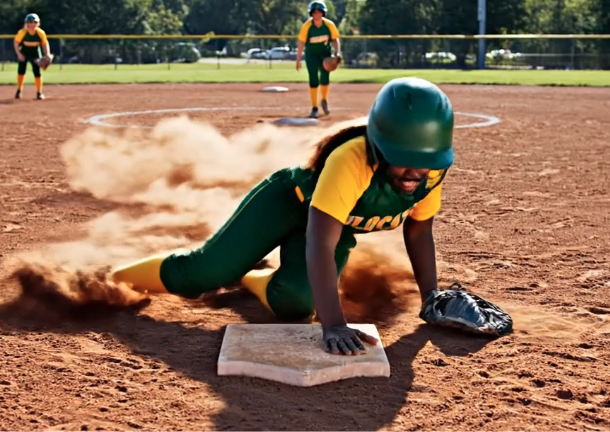
“A headfirst slide into home base by the mitt-wearing Rikea Henderson!”
• Things tend to get out of focus or smoothed over. Skin, fingers, the occasional inanimate object. Generally, as a small part of the screen, it may not register as much, but when repeated scene after scene, it triggers something in our brains, telling us, “Something’s off, pal.”
• Gravity is optional or inconsistent. I noted how apples tend to float. Plus, a couch held up by an invisible presence (“Don’t let go, Luke.”). A kid diving or sliding in slo-mo. It’s enough to throw off the viewer.
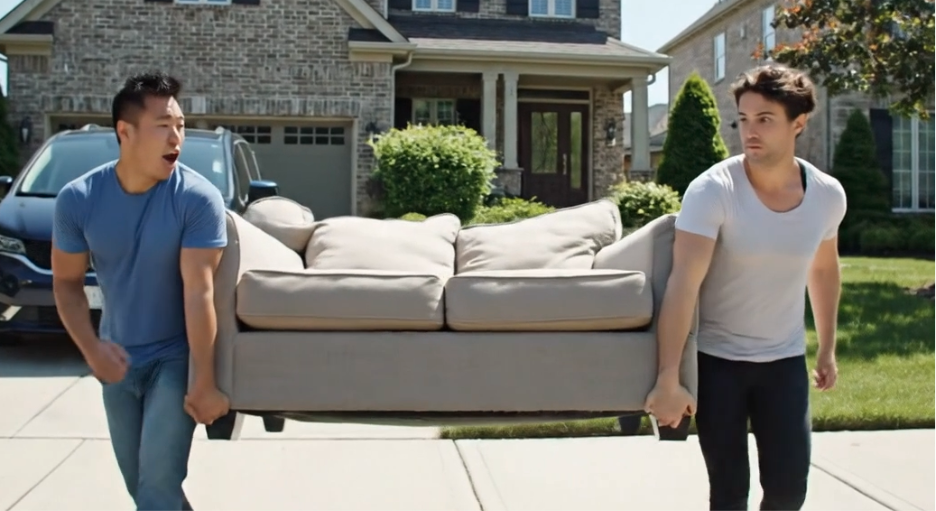
“And those footprints are when I carried the back of the couch for you.”
One more thing I learned. On a real set, after the last scene has been shot following a long day or week on set, the director yells, “THAT’S A WRAP!” And the whole crew cheers, and the dopamine rush is unrivaled. You don’t get that with AI. But I can always use AI to create a scene of a film crew yelling, “THAT’S A WRAP!” That’s called improvising a compromise.
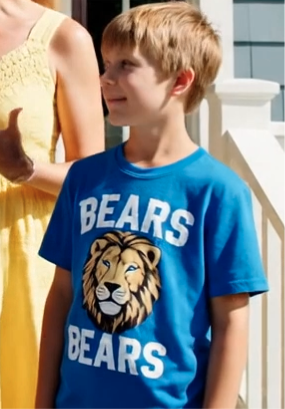
The ironic t-shirt design was my idea. But it could also be an AI mistake.
And to wrap this up: For six hours of work, this is great. But without a lot more editing, longer prompts, more people to help, and a stronger concept driven by clever details, it’s not much more than a compromising “This is a good start.”
Let's talk more about how AI may fit with your video strategy. Check the form below or email me!